Millumin PreVizmacOSMillumin 5
See the show before the room is built.
Your venue, your LED and projection, your lighting rig — playing the real show content, from any seat in the house, weeks before load-in.
Why previsualize
Decisions on paper become decisions in the room.
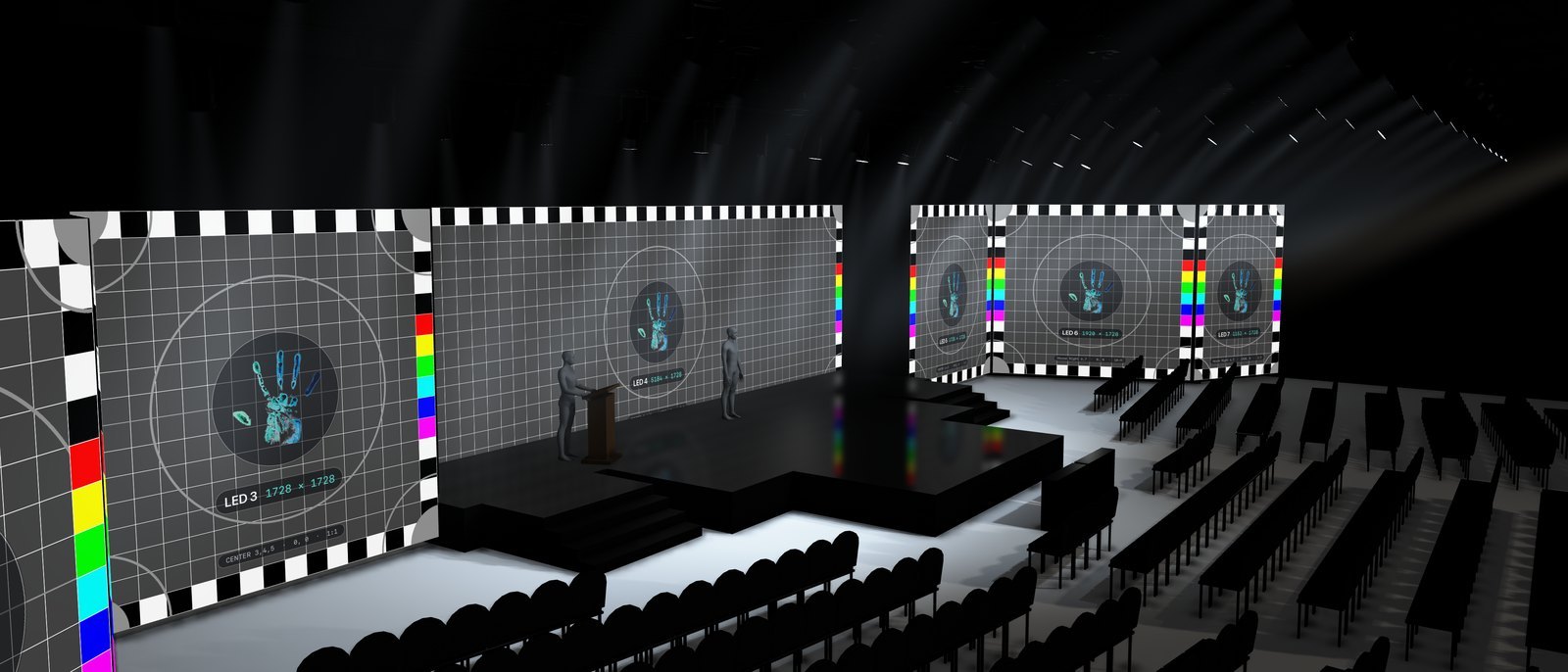
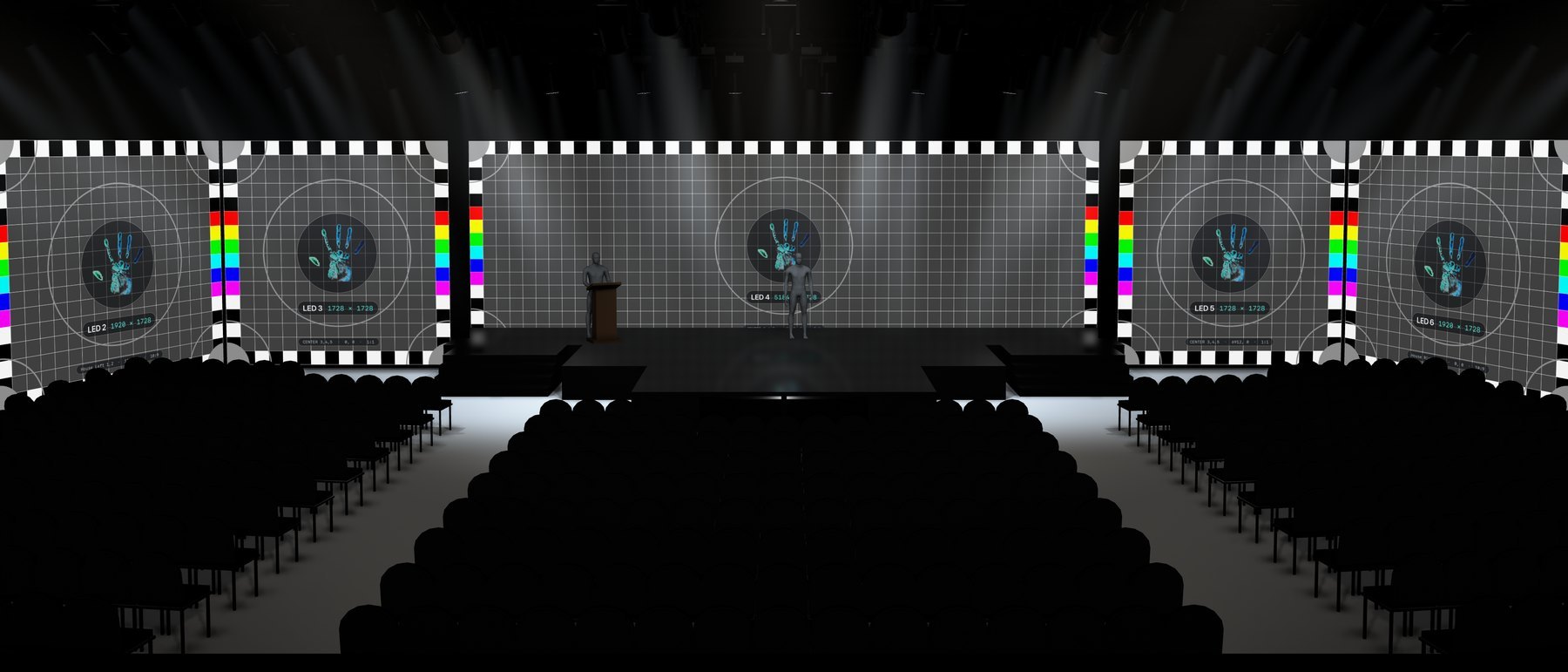
Until the walls are up and the rig is hung, a show exists as drawings, single-screen renders and everyone's best guess. PreViz puts the whole production in one live picture — the venue as drawn, every screen at its true size and position, the rig as it will hang, and the actual content on all of it — so content, staging and lighting are reviewed and signed off together.
Approve in context
Every wall shows its own part of the real content at real pixel size. Framing and type size are judged in the room, not on a laptop.
See the looks early
Looks and cues explored on the actual rig with content running, agreed long before rehearsals.
Check every seat
Back-row legibility, head table, broadcast camera positions — walk the room from any angle.
One picture for all
Producer, content, lighting, venue and client see the same show — and the same problems, while they're cheap to fix.
Content
The real output on the real walls.
- Live, not rendered. PreViz shows Millumin's live output, so revisions appear the moment they're made. Run the show, jump to a cue, compare two versions of an animation — on the walls, in the room.
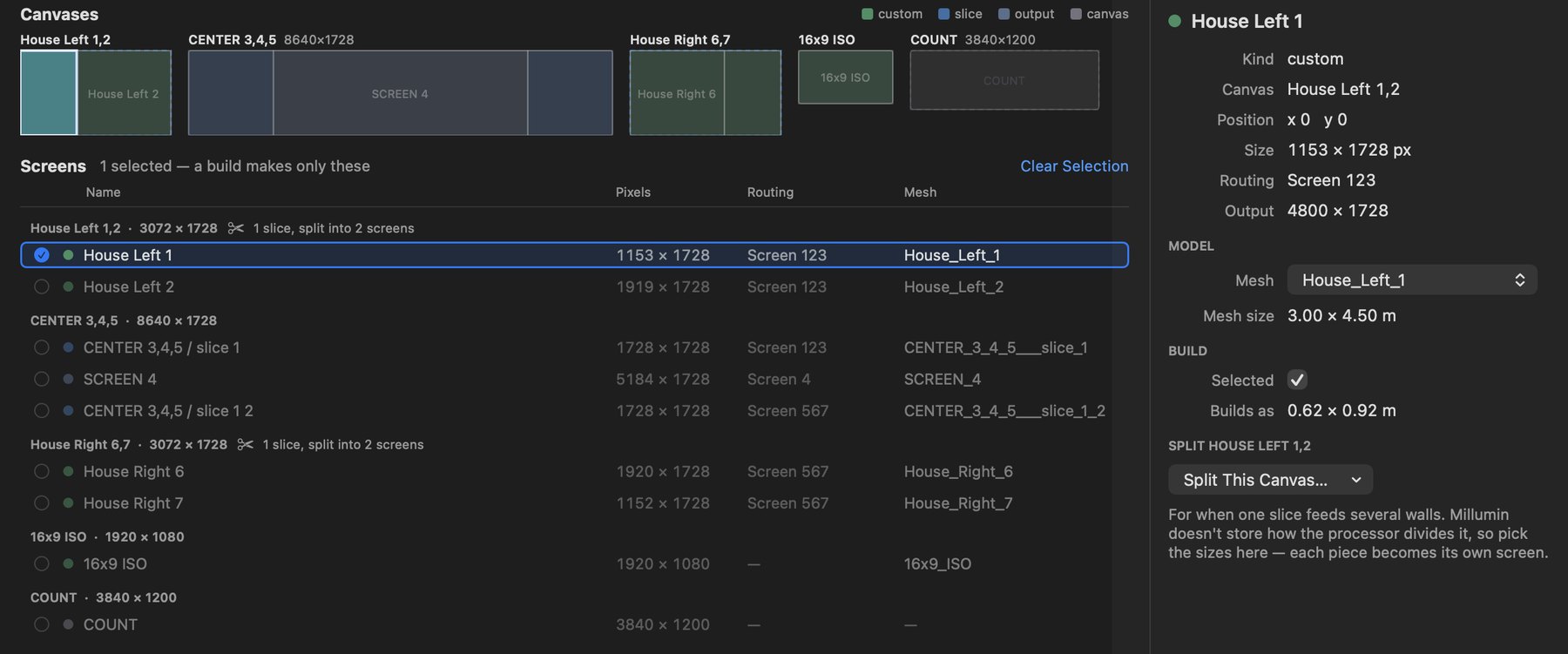
- Built to the pixel. Canvases, slices, routings and outputs come straight from the .millumin file, read and never modified. A slice that feeds several walls is split at panel edges, so oversized graphics, off-center logos and text that won't read from the back are caught here.
- Sources that recover. Syphon on the same Mac or NDI across the network, matched to canvases by name. A source that drops out falls back to a test card naming every screen's size and position, and is picked up again when it returns.
- LED as it behaves. Per-screen gain, flips and rotation; LED brightness and the spill the walls throw onto the room.
Projection
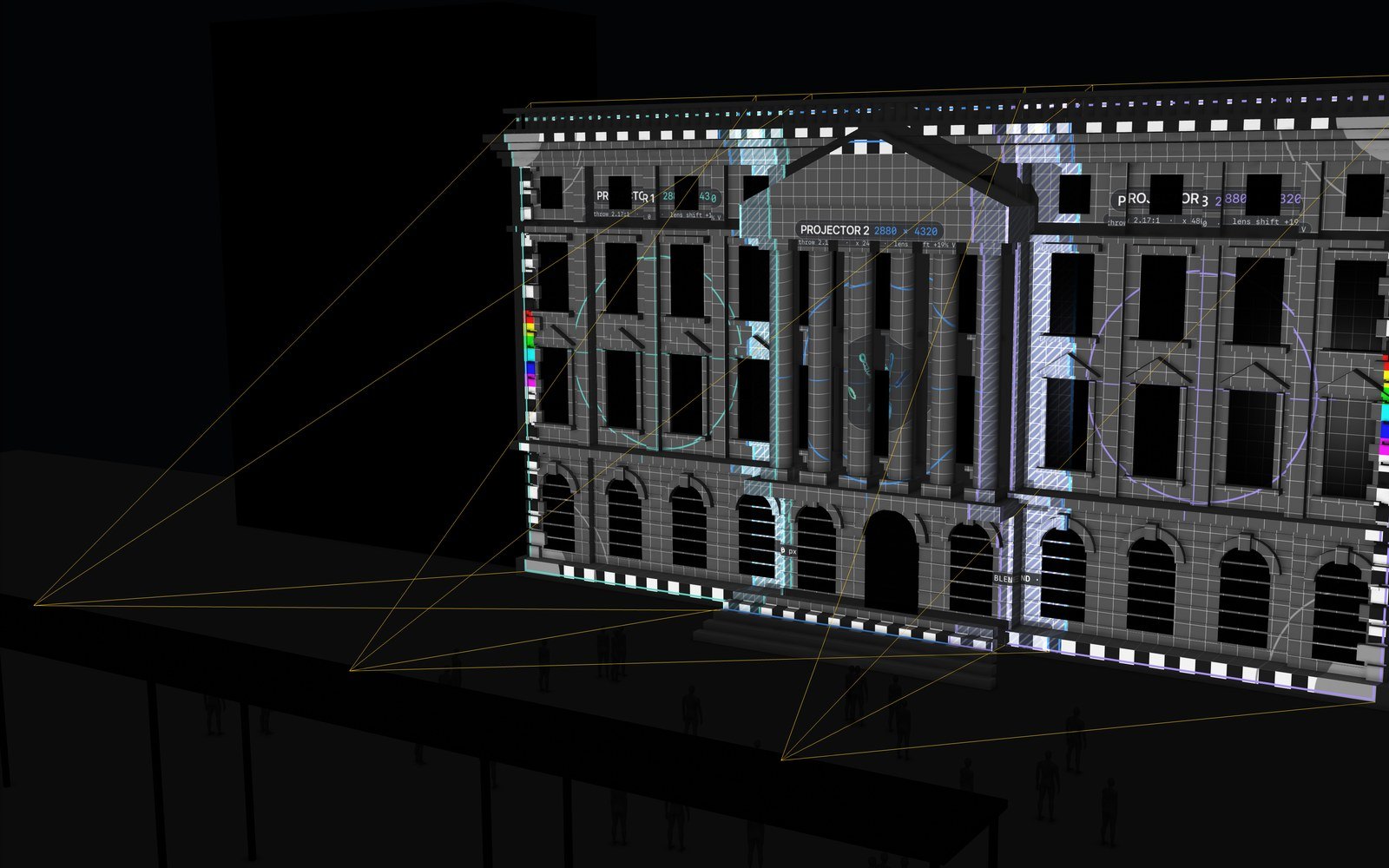
Blends and coverage, settled before the projectors ship.
- Real lenses. Each projector has its throw ratio, lens shift and resolution, so the image lands where the lens actually puts it, not where a drawing hopes.
- Frustums and blends. See every projector's cone, where neighbors overlap and how wide the blend zones are, on the real surface.
- Occlusion by the set. Columns, porticos and scenery cast real shadows into the image, so dead zones show up early.
- Through the lens. View the room from any projector to check keystone and coverage exactly as that unit sees it.
Lighting
The rig, as hung.
- Moving heads from the drawing, each on its truss where the venue file puts it, with yoke, head, lens and a volumetric beam.
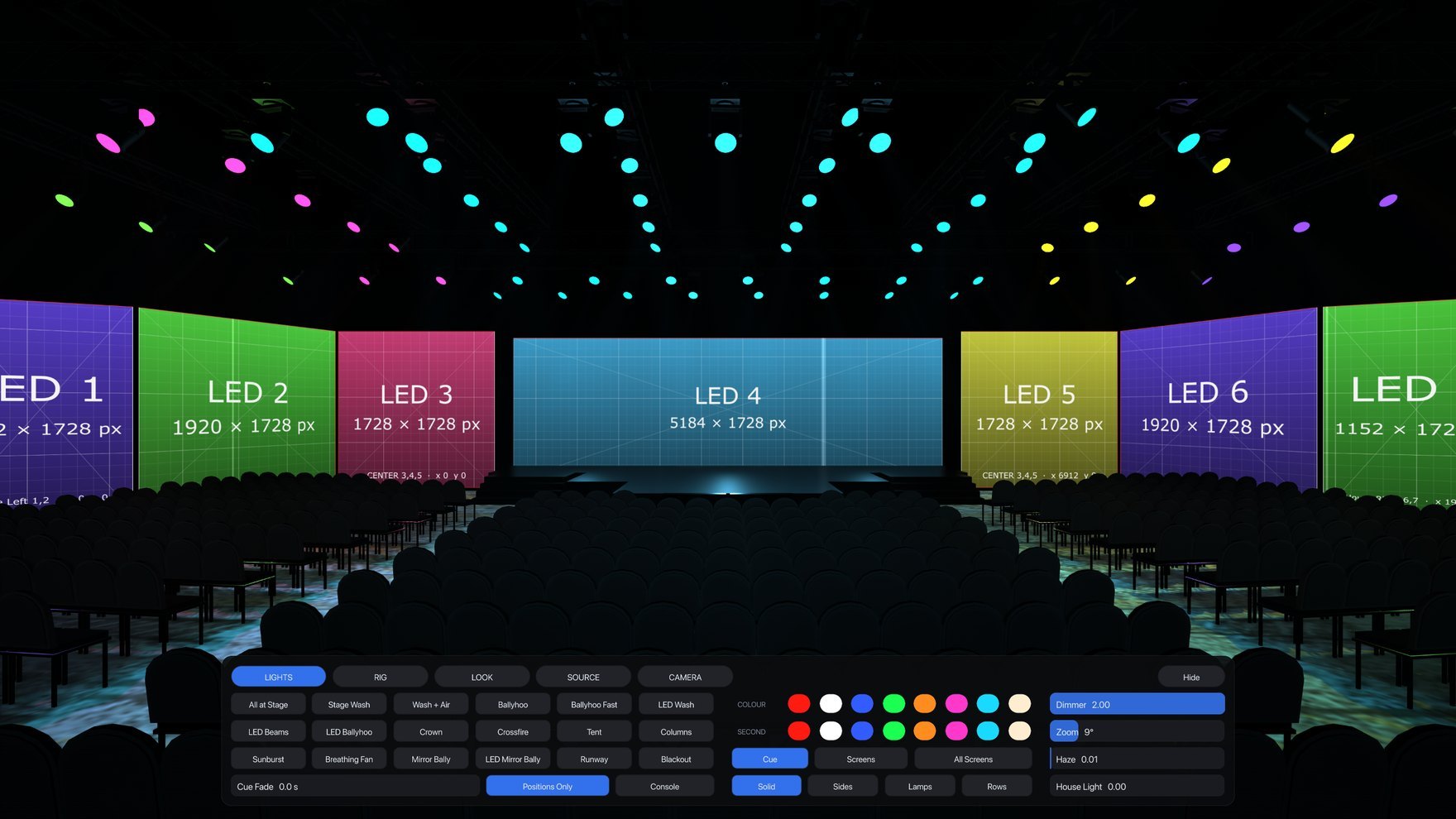
- Eighteen ready looks — washes, ballyhoos, crown, crossfire, tent, columns, sunburst, breathing fans, runway waves and screen-color looks. Trusses are sorted by position (over stage, mid, front of house), so every cue reads correctly and symmetrically in any venue.
- Cues that move like a rig. Heads turn the short way while color, dimmer and zoom cross-fade, and the whole rig is computed on the GPU every frame.
- Color from the screens. Each lamp can take the live color of the LED wall nearest it, or of the whole picture.
- Console input. Art-Net or sACN drives pan, tilt, dimmer, color and zoom per fixture. The rig is auto-patched and a patch sheet is exported for the desk.
Looks
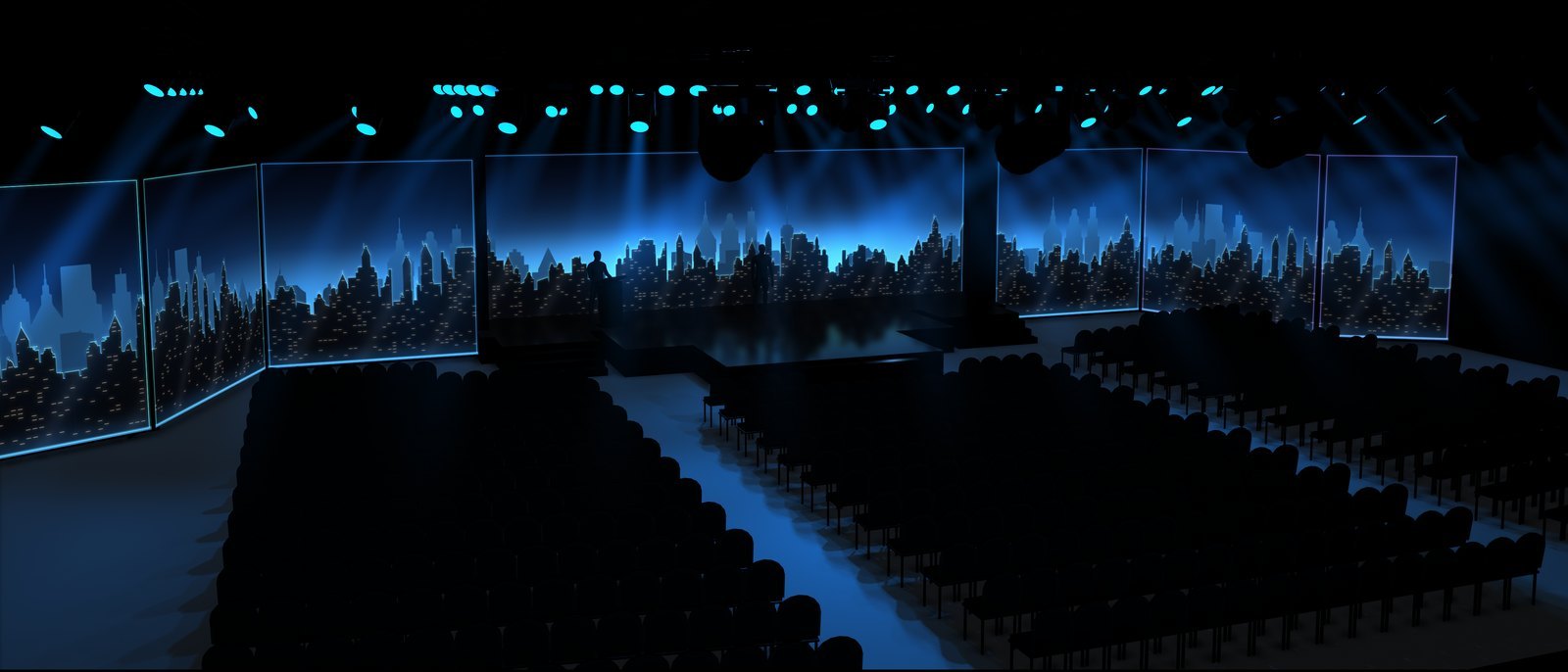
Explore the show's vocabulary in one session.
Every look can be captured as a still or a video for the deck, the client and the crew.
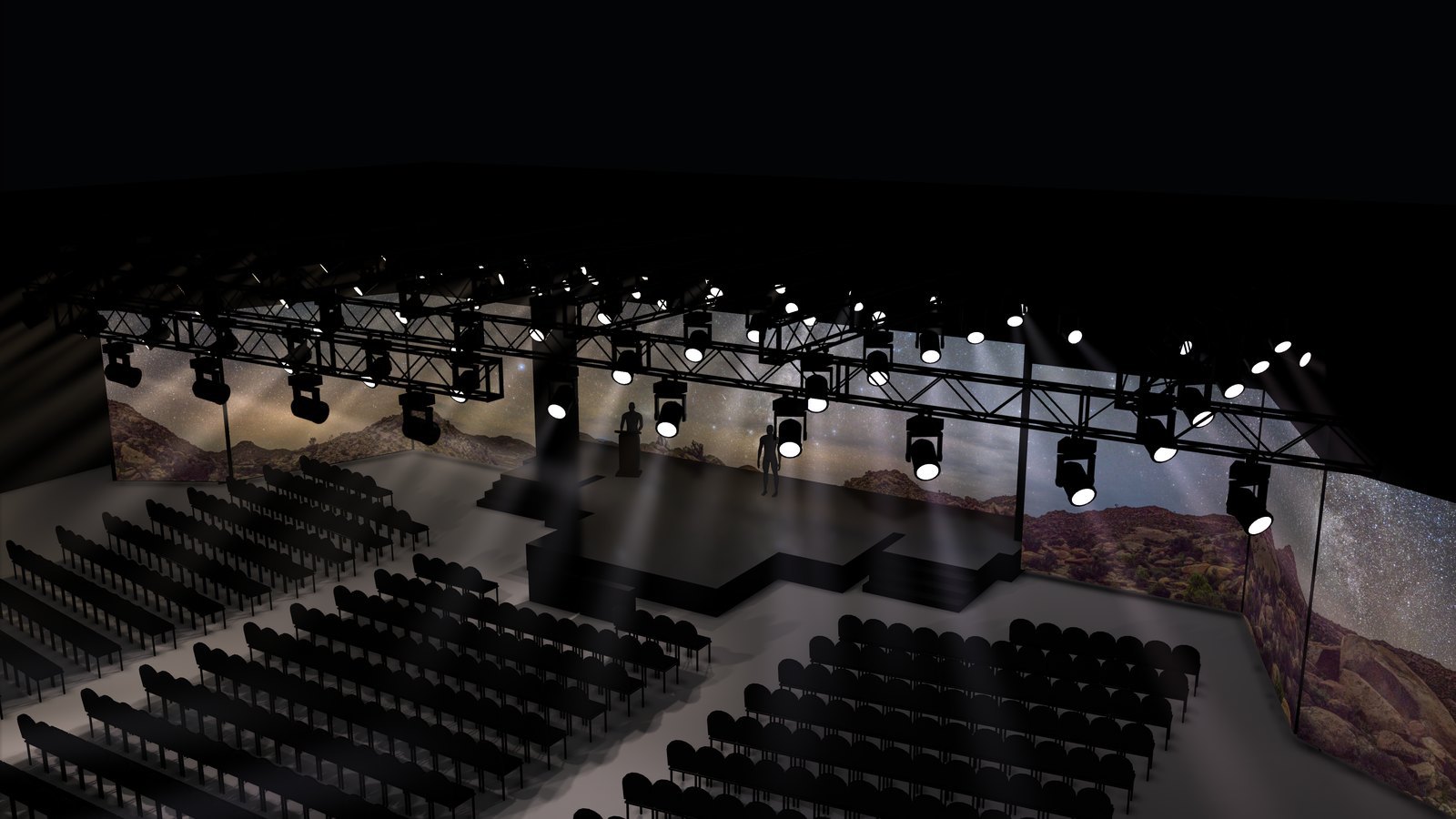
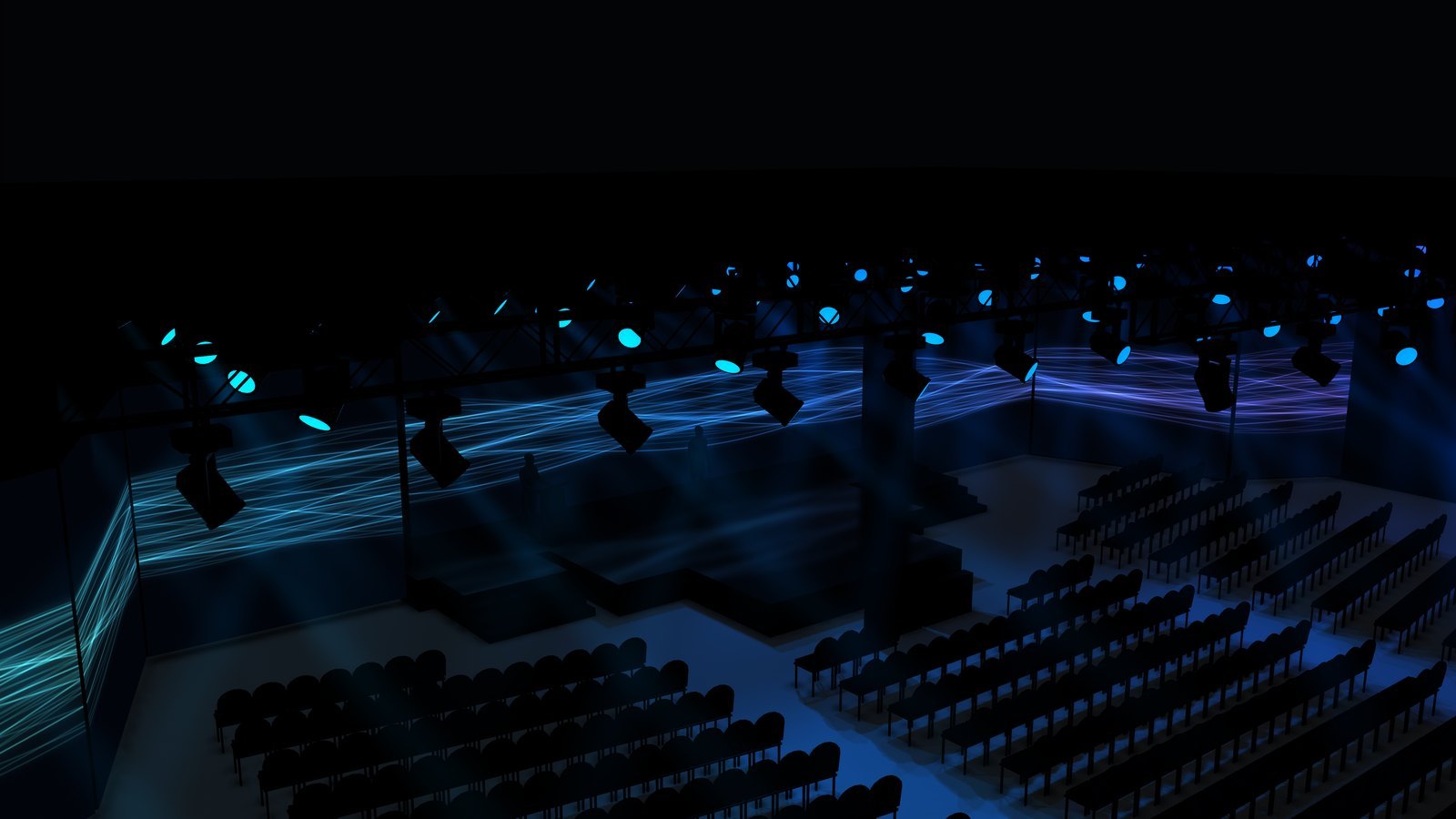
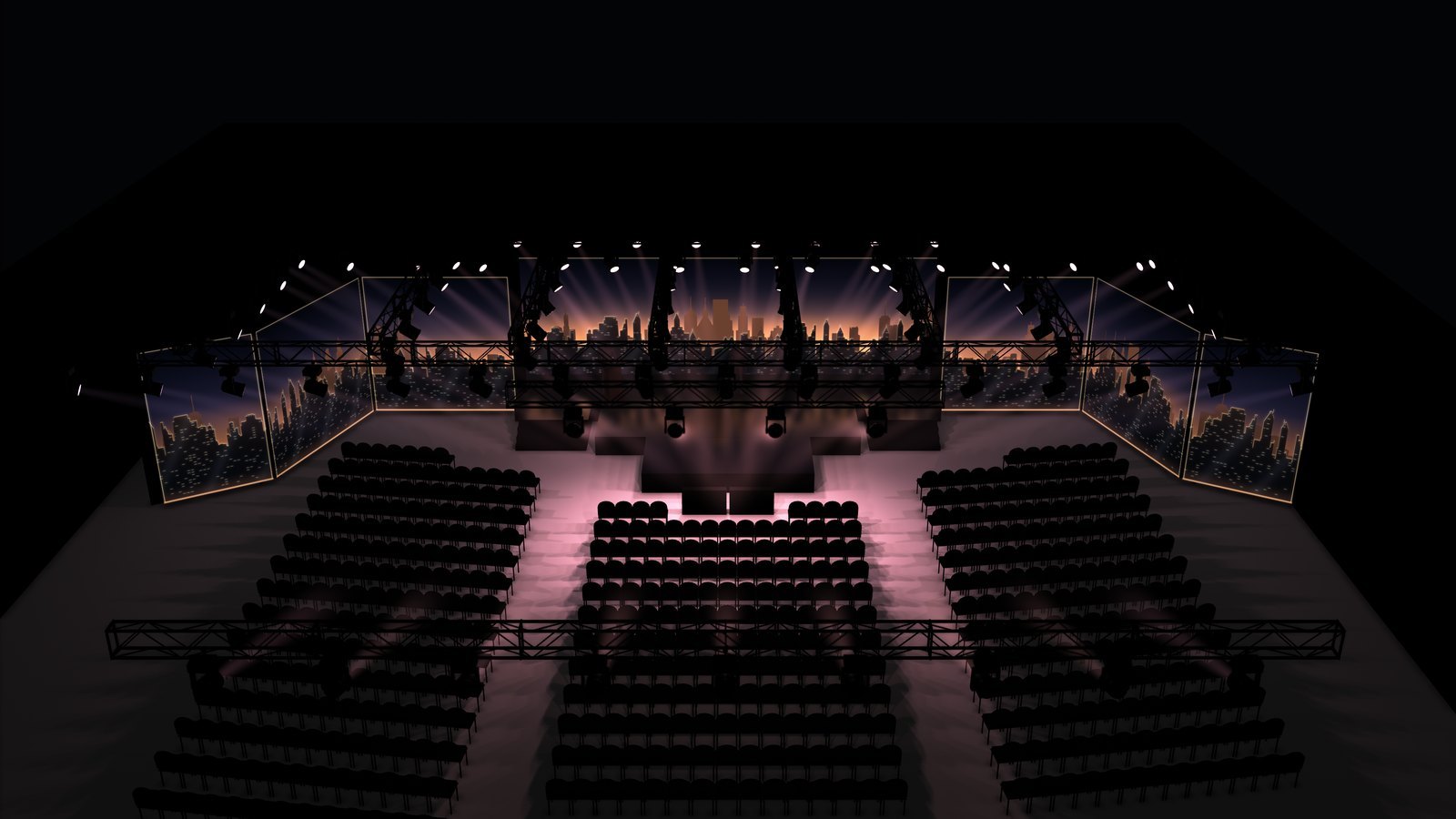
Look
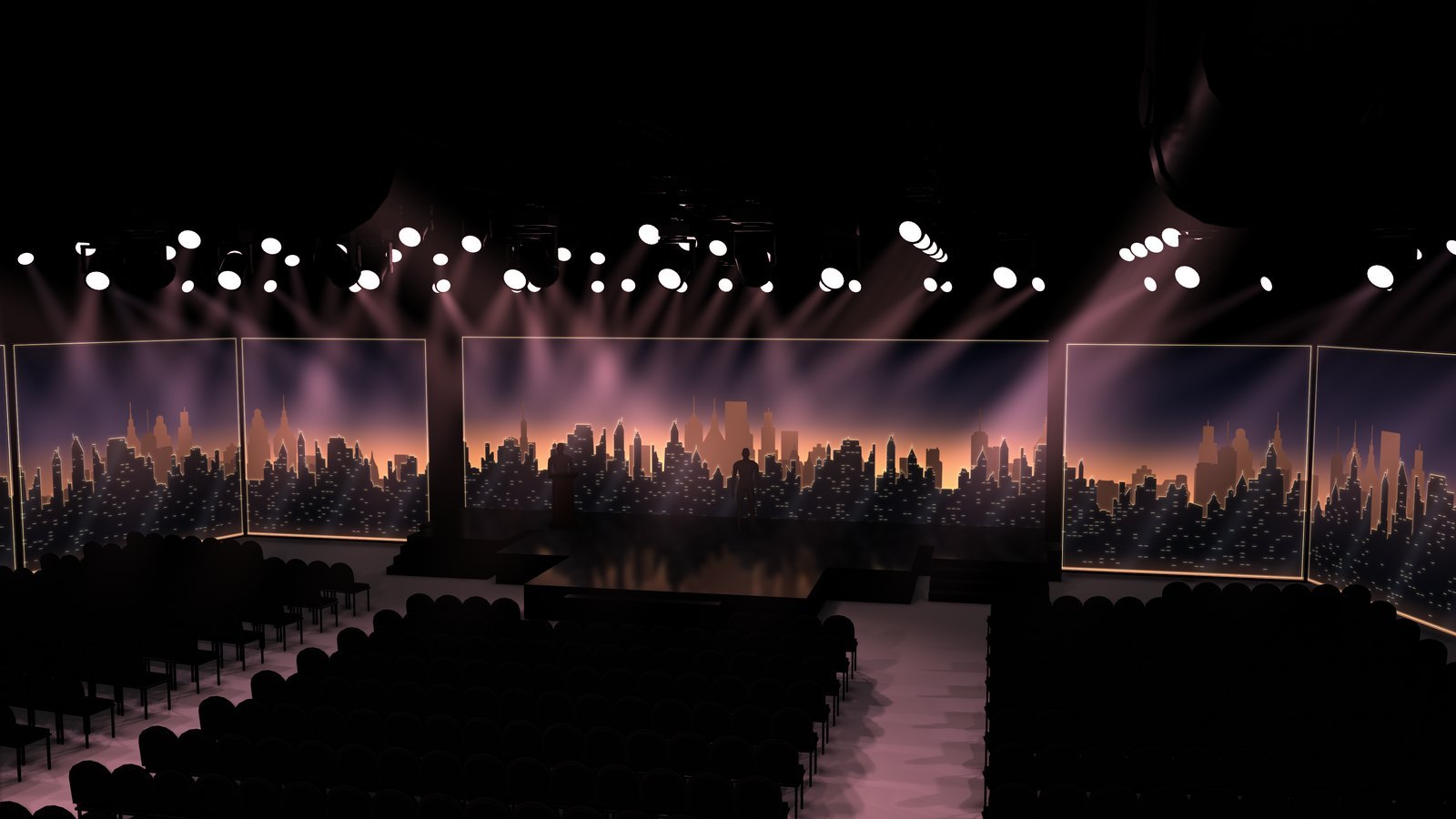
Realistic, so decisions hold.
- Reflections. A true planar reflection of the walls and beams in the stage deck, with adjustable softness.
- Shadows. Soft shadows from the truss lights and the house light, and contact shadows throughout.
- Beams and haze. Volumetric beams marched through haze, soft against every surface.
- Tone. A soft-knee tone curve that keeps saturated LED content saturated, with exposure, glow and LED spill controls.
Also: a cutaway room that hides walls the camera is outside of, stage talent and a lectern for washes to land on, and every part keeps the colors and textures of the venue export.
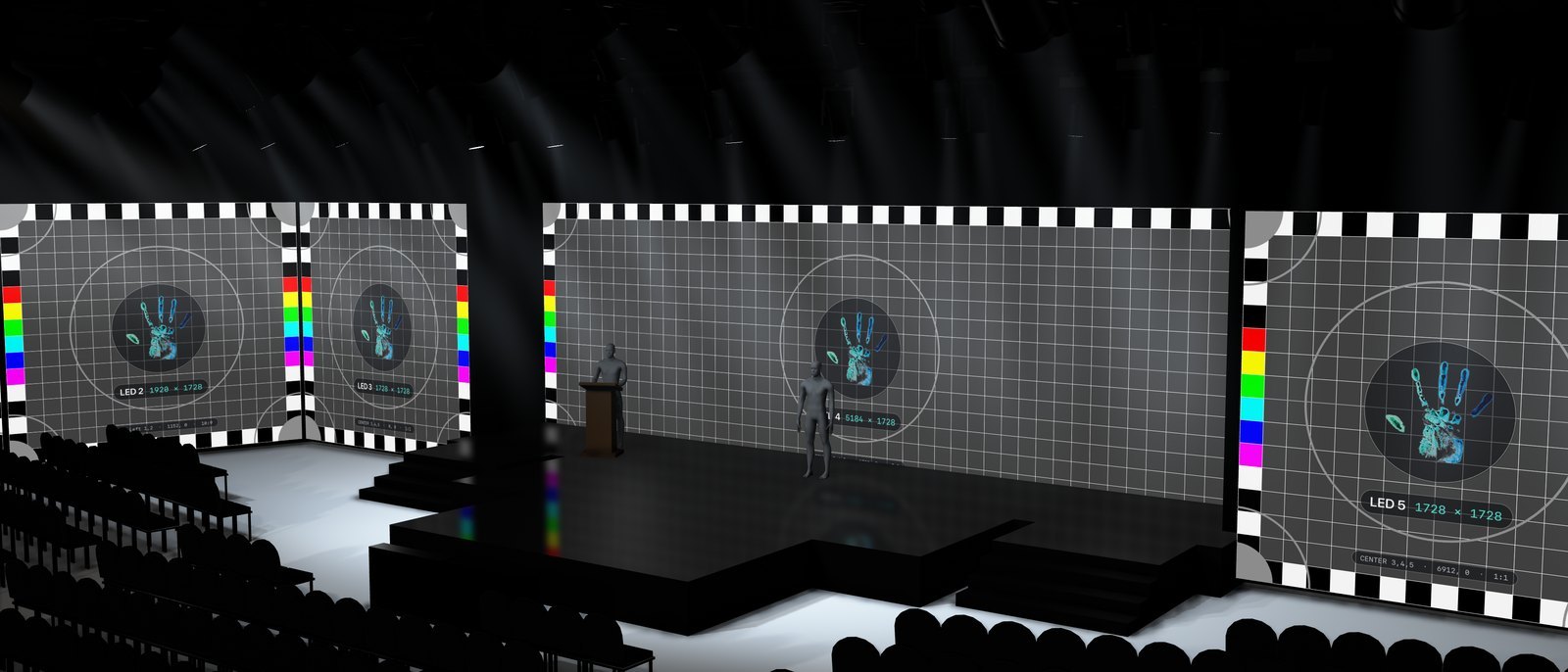
Sightlines
Any seat, any angle.
Stand in the last row, sit at the head table, look through a broadcast camera position — and see what that person sees, with the show running. Saved views glide between each other with timed moves.
Live review
Give a note. See it live on every screen.
In a review session, lighting looks, content and camera angles change on the spot — so your team sees the result of every note immediately instead of waiting for a new render. The controls stay off the picture, so what you see is always the clean show view, ready to capture as a still or a fly-through for the client deck.
Cues and color
The cue library, color and second color, color source (cue, nearest screen, all screens), distribution, fade, console, dimmer, zoom, haze and house light.
Per truss or all
A pan/tilt pad, fan and tilt fan, speed, spread and aim modes — stage, manual, fan, sweep, point, mirror, breathe, kaleido, runway.
The picture
LED brightness and spill, glow, exposure, reflections and room haze; cutaway, frustums, shadows, highlights, talent and lectern.
Per canvas
Syphon, NDI, test card or black, for all canvases or each one, with sender selection and match-by-name.
Saved moves
Front, top, side, audience and presenter presets, four saved views with timed moves, and output at 1080p, 1440p, 4K or matched to the display.
Scriptable
Every control is a parameter. Drive it from Millumin, a console or a script, and the layout saves itself as you work.
How it works
Three inputs. One show.
The venue drawing
Any OBJ export — Vectorworks, SketchUp, Blender, Capture. Walls, truss and every lamp, seating, decks and set are sorted automatically, units and up axis are detected, and screens are matched to the show's pixels to the centimeter. No remodeling.
The show file
The Millumin project as it exists in pre-production. Every screen, canvas and routing becomes a surface in the room; when the show file changes, the previz follows.
The content
Live playback or the latest renders on every surface — from first storyboards to final files, in the same room.
| Reference show | 7 LED walls · 91 moving heads · 17 truss runs · 550 seats · 18 lighting cues |
|---|---|
| Venue import | A 4.1 GB Vectorworks export (42 million faces) prepared in about two minutes |
| Sources | Syphon, NDI, per-canvas test card with automatic fallback |
| Lighting control | Art-Net and sACN, auto-patched, with an exported patch sheet |
| Output | 1080p, 1440p, 4K or matched to the display |
| Deployment | Standalone app with full-screen output on any display, or running as media inside Millumin |
| Workflow | PreViz Layout, a companion macOS app, prepares each show. Everything lives in one folder beside the project; copy the folder and the show opens on another Mac |
| Requirements | macOS, Millumin 5 |
Deliverables
What you walk away with.
The Millumin project, built to spec
Every canvas, slice and output mapped pixel-for-pixel to the LED walls and projectors in the drawing. The file you approved in the previz is the file that runs the show.
4K from saved viewpoints
The client's seat, the camera risers, the back row — for decks, approvals and crew briefings.
Fly-throughs and cue-to-cue
Timed camera moves between saved views, and looks played in order with the content running.
Review sessions
Content, staging and lighting change while everyone watches, and the decisions are made on the spot.
Fewer surprises on sitefaster approvals
Content built for the room it will play in.
Send the venue drawing and your content — or an existing Millumin project — and I'll build the show file to spec and set up a review session for your team and client — so the first time anyone sees the room, it already looks the way it was signed off.
Book a previz session