 MyRate+
Time · Pay · Mileage · Invoices
MyRate+, a time, pay and invoice tracker for iPhone and iPad: Every gig. Every hour. Every dollar.
Clock in, let the overtime and per diem math do itself, log the drive, and send the invoice before you leave the job. Built for freelancers, film and event crew, and contractors who bill by the hour or the day.


Key features
Pay rules that match your deal memo.
Clock in, one tap
A running timer on the Lock Screen and Dynamic Island, widgets, Siri, templates and recurring entries. Give a project a location and it can clock you in when you arrive.
Overtime, done for you
Hourly, day-rate and flat-rate pricing, overtime and double time after your thresholds, meal penalties, short-turnaround premiums and built-in GSA per diem.
Trips that log themselves
Start a trip and GPS records the route, the miles and the reimbursement, then saves the start and end address and a map of the drive.
Invoice in seconds
Detailed, compact or summary PDF invoices with your logo, light or dark, receipts attached, partial payments tracked and reminders sent from the app.
Scan, don't type
Point the camera at a receipt and the total and category are read on your device, ready to bill back as an expense.
Know your numbers
Hours, earnings and client charts, a map of every job, and self-employment and quarterly tax estimates for planning.
Time & pay
Clock in from the truck. The math is done by wrap.
Pick the job and the timer starts: a big running clock with your hours toward overtime, plus Clock Out and Break one tap away. The entry already knows the crew rules, so breaks, meal penalties, short turnaround and per diem are handled before you walk in.
- Overtime per day. A split day reaches overtime the same as one long entry, and hours never mix across projects.
- Turnaround premiums. Measured from one day's wrap to the next day's call, and waivable per entry.
- Clock out anywhere. From the app, a widget, Siri, or automatically when you leave a job's geofence.
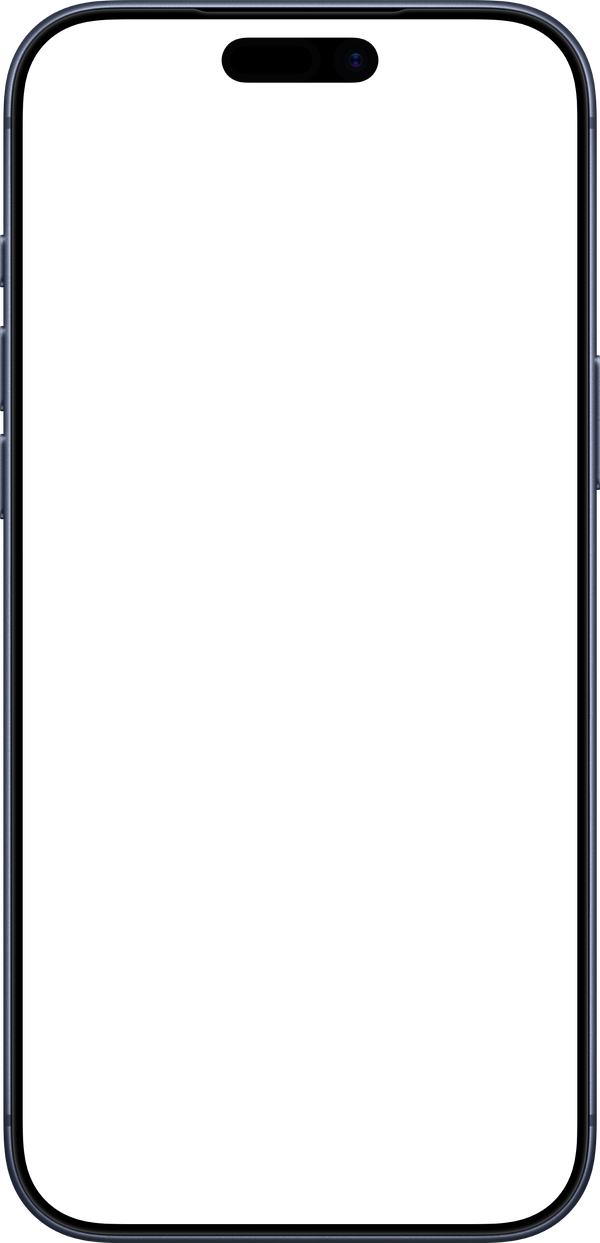
Mileage tracking
Hit Start Trip. Drive. The log writes itself.
GPS follows the drive while the miles and the reimbursement count up live, with a Live Activity on the Lock Screen. Stop the trip and it's saved with the route on a map, the start and end address, and your per-mile rate.
- Clean miles. GPS drift and jumps are filtered out, and a trip you forget to stop ends itself after 20 minutes parked.
- Billable or deductible. Add trips to an invoice as mileage, or let them count toward your mileage deduction.
- Notes for the log. Add the trip's purpose, or enter a trip by hand when you forgot to start one.
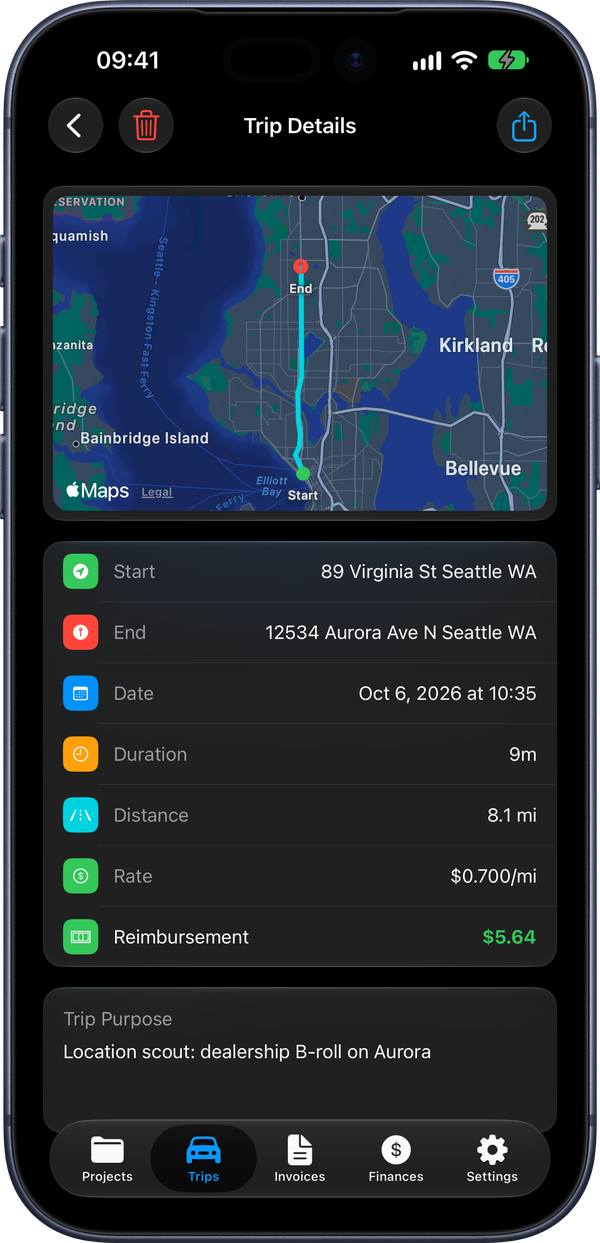
Invoices
From timesheet to invoice in two taps.
Generate an invoice from any project and every day, overtime line, per diem and expense is already on it, worked out to the cent. Send the PDF from the share sheet, then track it to paid.
- Light or dark. Detailed, compact or summary layout in a light or a dark theme, with your logo, payment terms, numbering and a footer note.
- Receipts attached. Billable receipts and mileage go on as expenses, with the photos included if you want them.
- Paid, partial or overdue. Record partial payments, see what's outstanding, and send a reminder email when one is late.
- Exports for your accountant. CSV, accounting ledger, QuickBooks Online CSV, QIF and calendar (.ics).
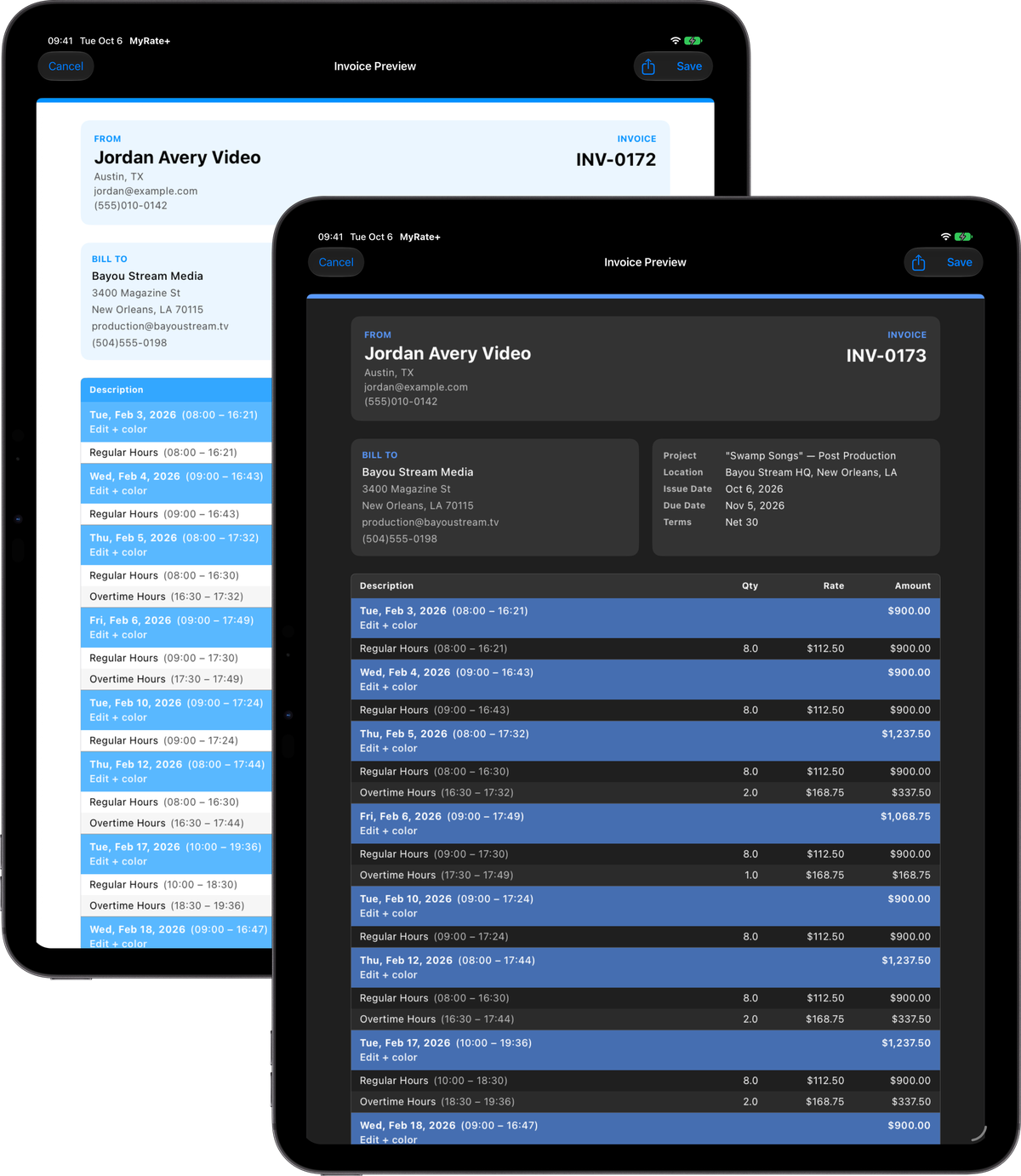
Make it yours
Glass cards over the background you pick.
Every screen sits over a background of your choosing, with blur and dim so the numbers stay easy to read. Switch any time in Settings › Appearance.
- Photos. Three built-in photos, or one of your own.
- Gradients. Six presets, or pick your own start and end colors.
- Solid or system. One color, or the classic system look, in light or dark mode.

iPhone
From the first hour to the final payment.
Screens use fictional sample projects and clients.


Pricing
Buy it once. It's yours.
MyRate+ is a one-time purchase on the App Store. It's free to download until December 2, then a one-time purchase. No subscription, no renewal date, nothing that stops working if you skip a month.
Pay once for the version
One purchase covers MyRate+ 1 and every update to it. Fixes and new features in the 1.x releases are included.
Nothing to sign up for
No login, no ads and no analytics. Your data stays on your devices and in your own iCloud, which keeps your iPhone and iPad in sync.
Take it with you
Full backups you can restore at any time, plus CSV, QuickBooks, QIF, ledger and calendar exports for your accountant.
For freelancers, crew and contractors
Bill the way you actually work.
Download MyRate+ for iPhone and iPad. Your data stays on your devices and in your own iCloud.